
Self-hosted AI agent
Rakazo is an open source AI agent for persistent teammates. Each bot can use a browser and a shell, keep routines as Markdown, and pause for approval when work crosses a boundary you set. Self-hosting means that stack runs on a machine you control.
The software is Apache-2.0. Hosted Rakazo Cloud is not generally available. This page is the setup you need to run it. The full self-hosting guide on GitHub covers backups, upgrades, secrets, restricted networks, and production Compose.
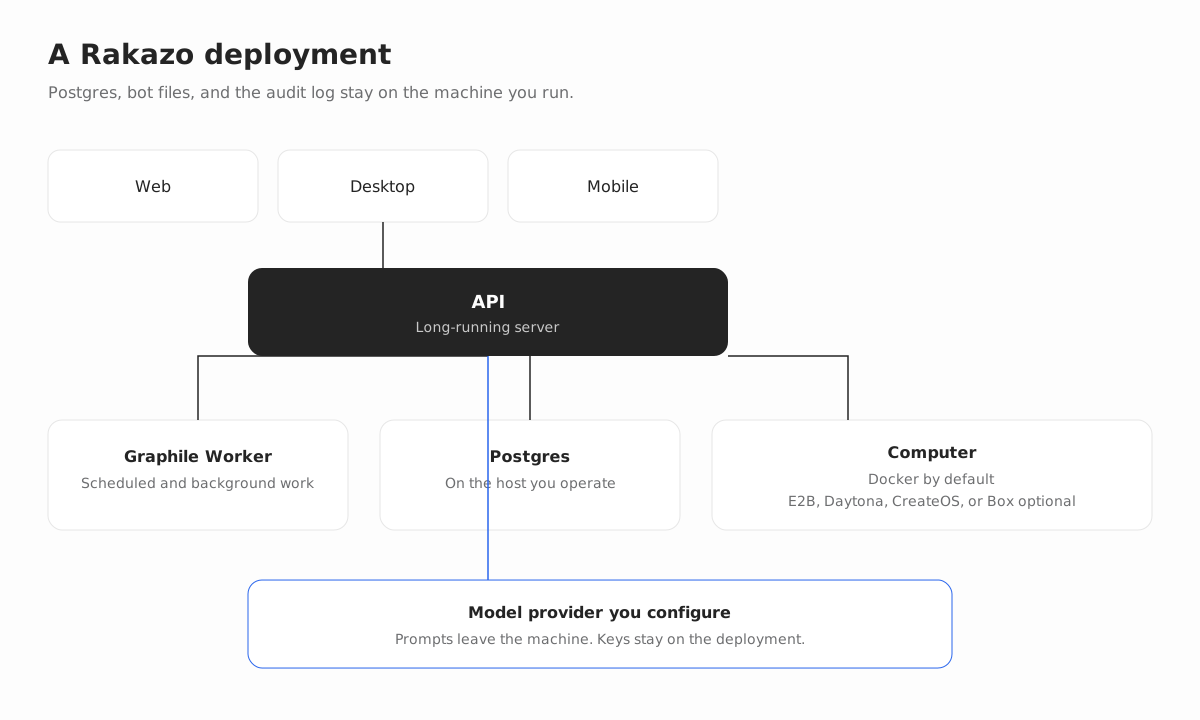
What self-hosting gives you
Data ownership
Postgres, bot files, browser profiles, and the audit log stay on the deployment you run. Content you send to a model provider is processed by that provider under its terms. You choose the provider and the keys.
Model choice
Connect OpenAI, Anthropic, Google, OpenRouter, or Vercel AI Gateway. You can also use an OpenAI-compatible endpoint or a local model server such as Ollama, LM Studio, llama.cpp, or MLX. Each bot can use a different model.
Cost control
There is no seat fee for the open source software. You pay the model provider you connect and any remote computer provider you choose. Local Docker computers are the default, so a single machine does not need an E2B, Daytona, CreateOS, or Box account.
Requirements
- Published images. Docker Engine 26 or newer (API 1.45 or newer, for bot home volume subpaths), the Compose plugin, curl, and OpenSSL. No Node.js install.
- Source checkout. Node.js 22.22.2 or newer on the 22.x line, Node.js 24.x, or Node.js 26 or newer, plus pnpm 9 and Docker. Node.js 23.x and 25.x are not supported.
Install with published images
From an empty directory on the machine that should run Rakazo:
mkdir -p rakazo && cd rakazo &&
curl -fsSLO https://raw.githubusercontent.com/elie222/rakazo/main/infra/compose/install-images.sh &&
bash install-images.sh
The installer downloads the Compose file and .env.images.example, creates .env with random secrets, and starts Rakazo. It keeps an existing .env when you run it again. The default image tag is edge (builds from the main branch, linux/amd64 and linux/arm64).
Open http://127.0.0.1:5173 and create an account. The first registered user becomes the deployment owner. Connect a model in the app, or set OPENROUTER_API_KEY before startup. Local Docker computers are on by default.
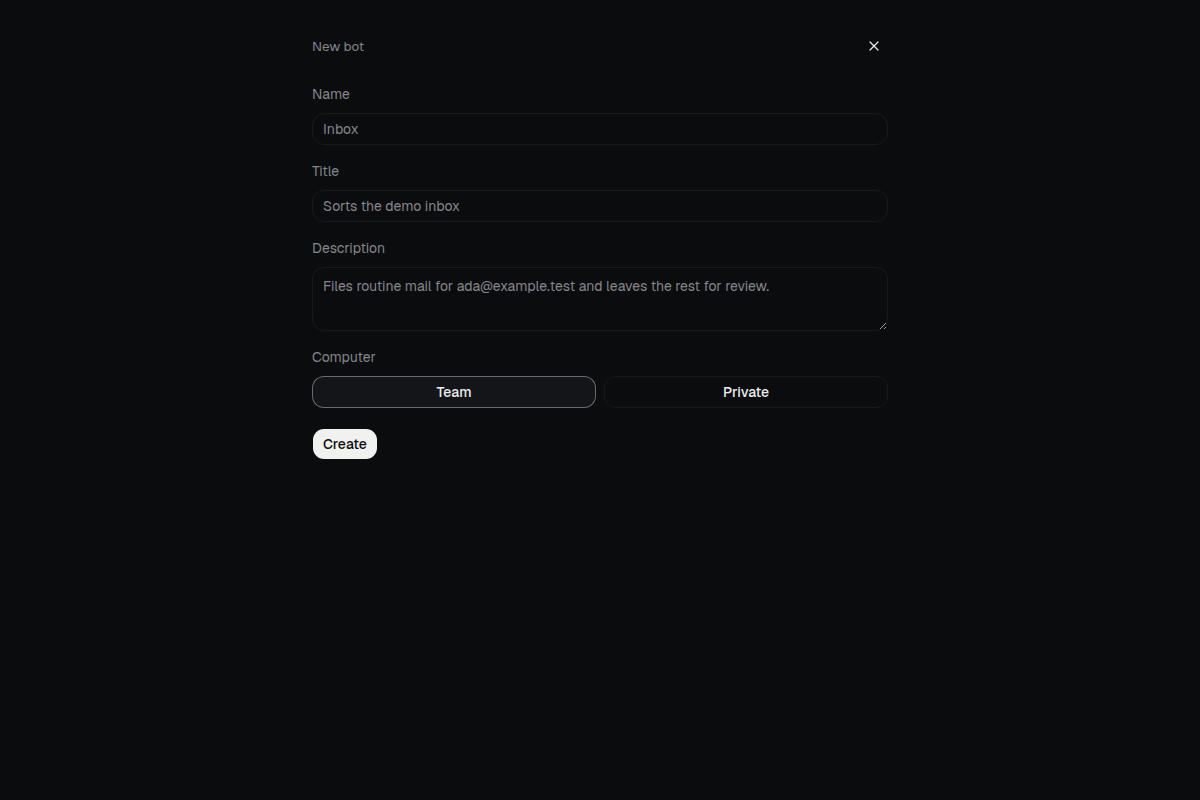
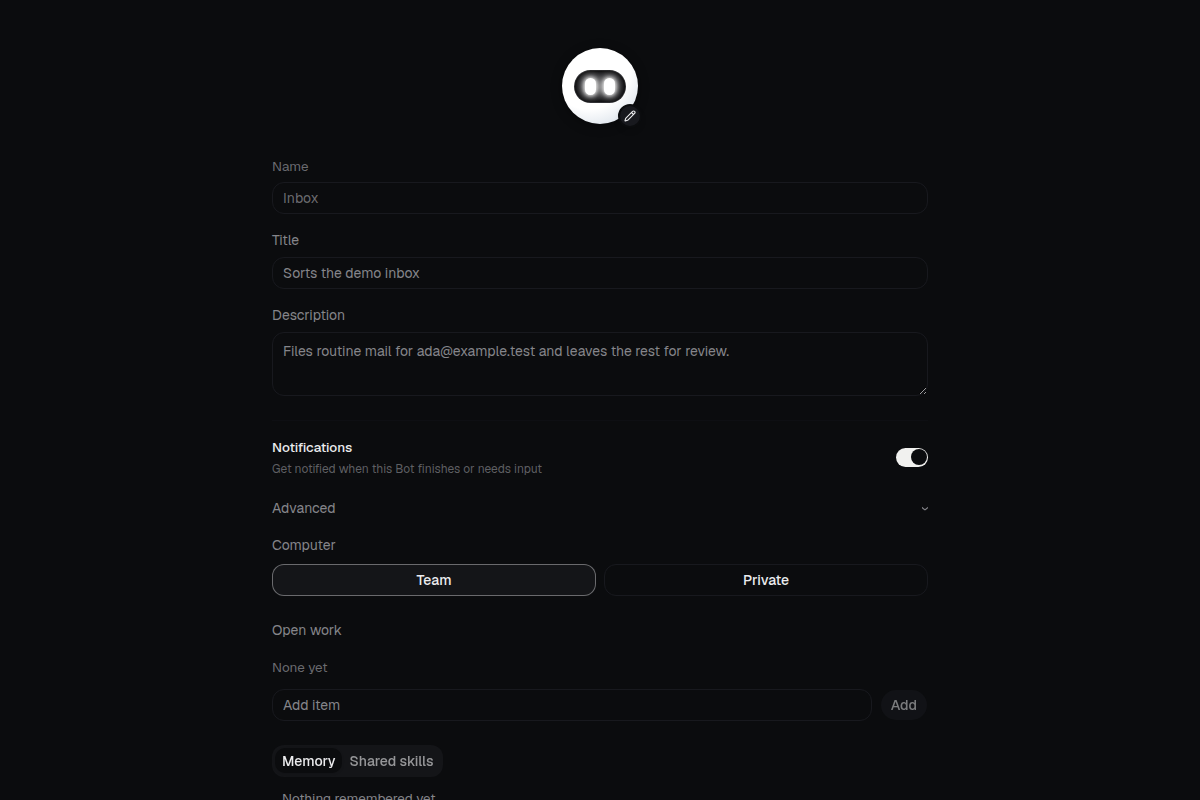
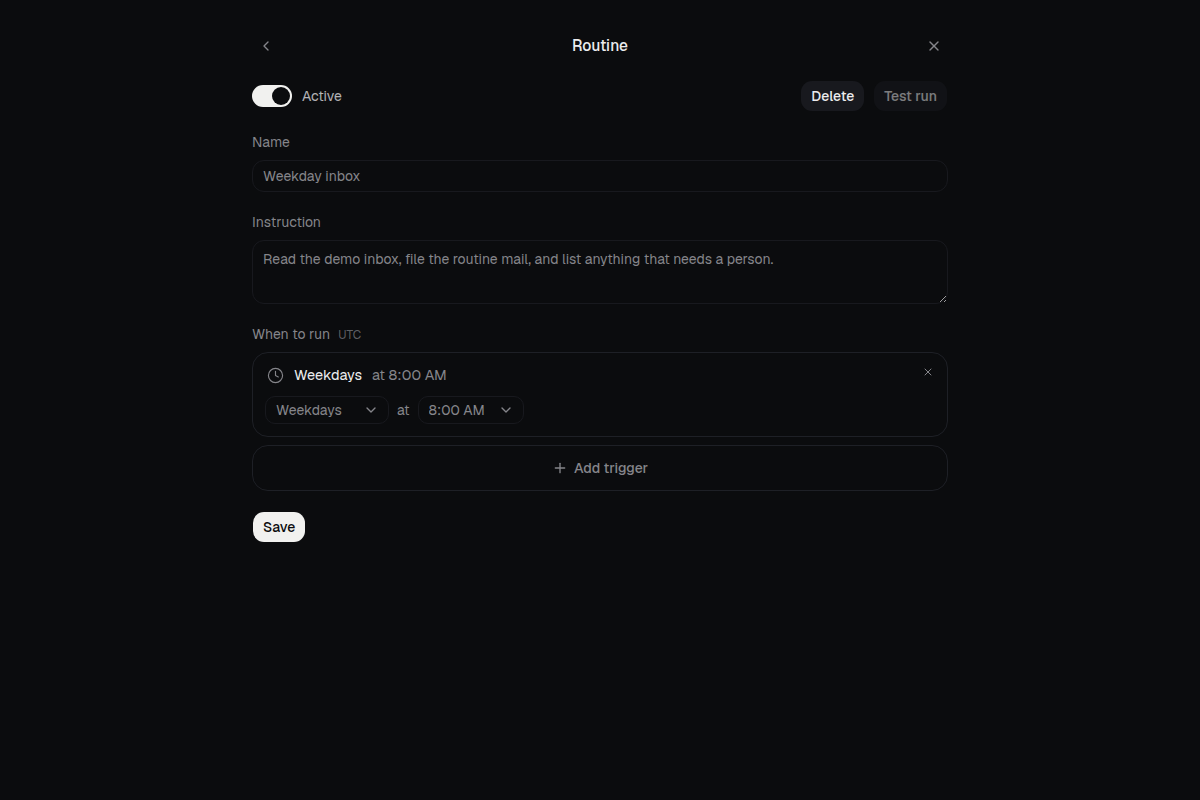
For an agent-assisted install, use the setup prompt.
Run it on a server
Use the same installer on a VPS when bots should stay running. Images Compose binds the web app to loopback 127.0.0.1:5173. Terminate TLS on the host and proxy there. Do not publish port 3100. The web server proxies /api.
bash install-images.sh --prepare-only
# Edit .env, then:
bash install-images.sh
Before the second command, set RAKAZO_HOST to the hostname and set BETTER_AUTH_URL, WEB_ORIGIN, and API_URL to that same https:// origin. For a remote computer instead of local Docker, set SANDBOX_PROVIDER to e2b, daytona, createos, or box and add that provider's API key.
app.example.com {
	reverse_proxy 127.0.0.1:5173
}
Replace app.example.com with your host. Desktop clients should use Existing instance with the https:// address. The public single-VM section covers production Compose, host hardening, signup allowlists, and SMTP.
If downloads are blocked, use the restricted-network guide. Secret names and recovery are in the secrets checklist.
Install from source
Use this path to develop Rakazo. The published images above are enough to run it.
git clone https://github.com/elie222/rakazo.git
cd rakazo
cp .env.example .env
Set POSTGRES_PASSWORD to a URI-safe random value (for example openssl rand -hex 16) and put the same value in DATABASE_URL. Set BETTER_AUTH_SECRET, ENCRYPTION_KEY, and SCREEN_PROXY_SECRET to independent long random values. Docker sandboxes also need a dedicated SANDBOX_SUPERVISOR_TOKEN. Keep these in .env, not in git.
For host-side development with Docker Desktop, set SANDBOX_CONTROL_VIA_LOOPBACK=true in .env. The supervisor then publishes its control service on a loopback port, because Docker Desktop container addresses are not reachable from the host. Leave this unset when the supervisor runs inside Compose.
docker compose --env-file .env \
  -f infra/compose/docker-compose.yml \
  -f infra/compose/docker-compose.postgres-host.yml \
  up postgres -d
pnpm install
pnpm db:generate
pnpm db:migrate
pnpm sandbox:build
pnpm dev
The Postgres overlay publishes loopback 127.0.0.1:5433 for host-side tools. Open http://127.0.0.1:5173. docker compose down -v deletes Postgres data.
Desktop and mobile
With a server already running, the Electron app's Existing instance option takes its https:// address. HTTP is accepted only for loopback and private LAN addresses. This computer installs the published images with Docker Compose on that machine.
Run on your Mac with the desktop app. This computer installs Rakazo on that Mac. A Mac Mini can stay on as the always-on box.
In the mobile app, tap Use a custom server on the sign-in screen and enter the same HTTPS origin as WEB_ORIGIN.
Full reference
FAQ
What do I need to self-host Rakazo?
Published images need Docker Engine 26 or newer, the Compose plugin, curl, and OpenSSL. You do not need Node.js for that path. A source checkout needs Node.js 22.22.2 or newer on the 22.x line, Node.js 24.x, or Node.js 26 or newer, plus pnpm 9 and Docker. Node.js 23.x and 25.x are not supported.
Where does my data live?
Postgres, bot files, browser profiles, and the audit log stay on the deployment you run. Content you send to a model provider is processed by that provider under its terms. You choose the provider and the keys.
How do model choice and cost work?
You connect your own model keys, or a local or OpenAI-compatible model server, and you can pick a different model per bot. The open source software has no seat fee. You pay the model and computer providers you use. Local Docker computers are the default and do not need a hosted sandbox account.
Is hosted Rakazo available?
Self-hosting is available now. Hosted Rakazo Cloud is not generally available. Get started includes a waitlist for Cloud.
How does this compare with OpenClaw?
Both are open source and run on hardware you control. After a Docker or desktop install, Rakazo is a chat for persistent teammates. OpenClaw's getting-started guide adds a wizard, a Gateway you run in the terminal or install as a background service, and a separate step to connect a chat app.
Related
Get started
Self-host with the steps above, or leave an email for hosted Rakazo Cloud.